Week of November 9–15, 2026: Conservation tools, sharper maps and a teacher's planner
· Week of November 9–15, 2026
Heads up: what follows hops from satellite maps to dragonfly keys to bicycle turn signals and back again, with no apology. It is the whole tangle of ideas from a teacher and cyclist with an ecological streak who builds tools to make some jobs easier and life more fun, which is a polite word for hodgepodge. If you would rather skip the hopping, gethabitatlens.app has just the facts. Everyone else, read on at your own risk.
This week's route: a big week for HabitatLens and its planning tools, a stop in the classroom, a ride with Bike Power, and home again with the everyday apps.
The HabitatLens suite
HabitatLens phone 0.2.0 and Desktop 0.2.1. The phone app went from 0.1.2 to 0.1.3 and then to 0.2.0, and Desktop climbed from 0.1.32 to 0.2.1 in the same week. The headline is a pile of new tools for studying animals and caring for places:
- Studying animals. Mark-recapture now estimates population size with a margin of error, survival between sessions and long-term trends. There are tools for tracking collars and radio-tracking bearings, home ranges, and downloading GPS fixes straight from Movebank. Others handle genetic samples, body condition, and camera-trap density when the animals are not individually marked.
- Planning conservation. A new planning page gathers tools for before-and-after studies, water quality, carbon and biomass, invasive plants, fire planning, erosion, roads and wildlife, grazing, restoration planting, forest thinning, reserve selection, climate exposure and more. Each one says plainly what data it needs to provide valid suggestions.
- Try before you trust. Two built-in demo projects (Kilimanjaro and the Galápagos) fill every tool with sample data, and each manual section has a short "With the demo" step.
- Twelve roles. The app now groups its tools by what you do, including new roles for school teachers and for farmers and ranchers.
- Nearby sync. Phone and Desktop can pair by QR code and share records, photos and recordings over the same Wi-Fi, with no internet needed. This is the first version.
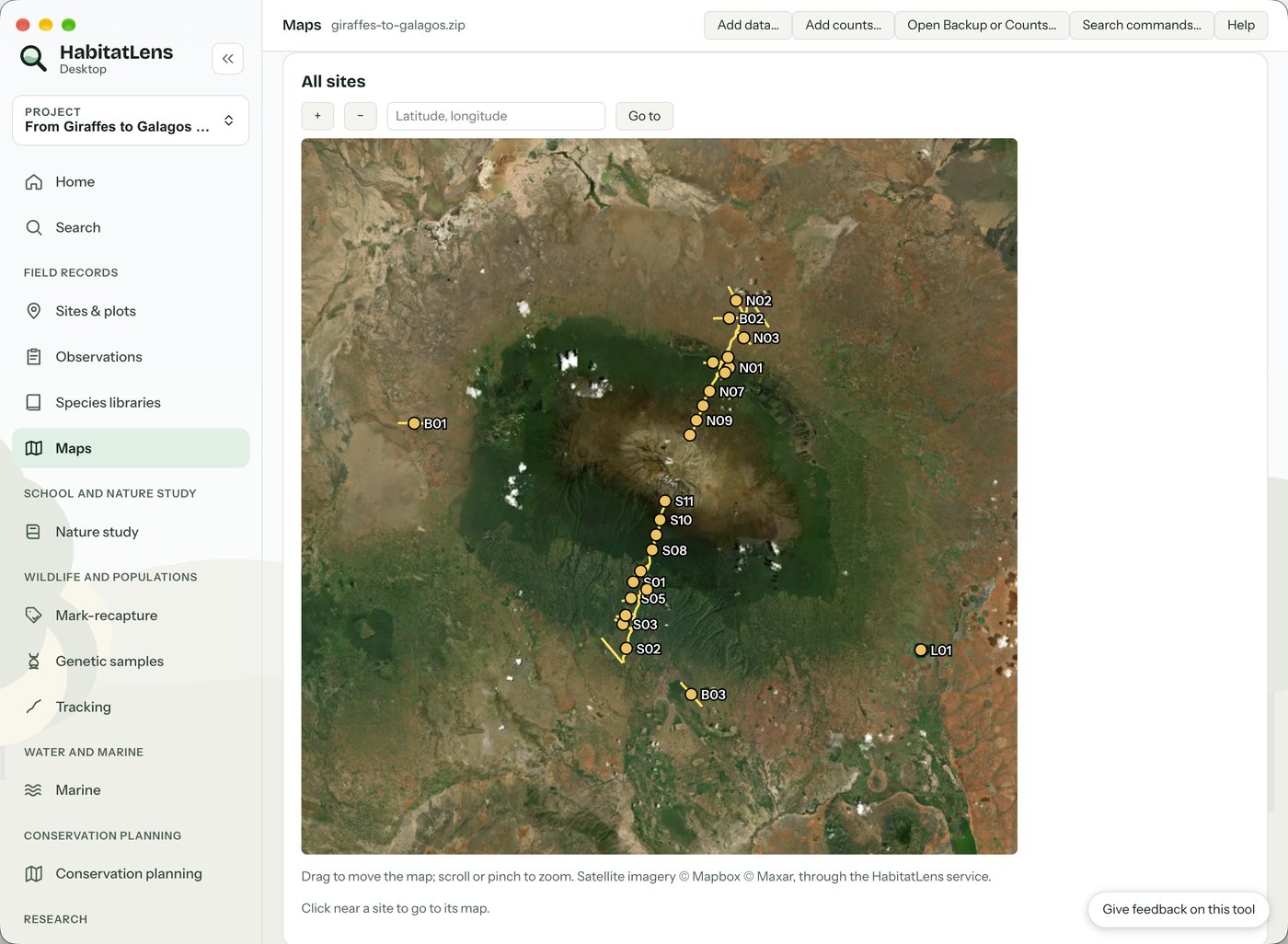
Improved maps. Desktop maps now move by dragging and zoom with a scroll or pinch, and you can jump to coordinates. You can lay your own aerial images under a site, including ones from PDF files, then drag a site or plot to correct its position and print the whole Maps page with an overview of every site.
Identification keys. A handful of Tucson-area keys (birds, tracks and sign, trees and cacti, reptiles and amphibians, bees and more) are in draft, and identification keys are free for everyone.
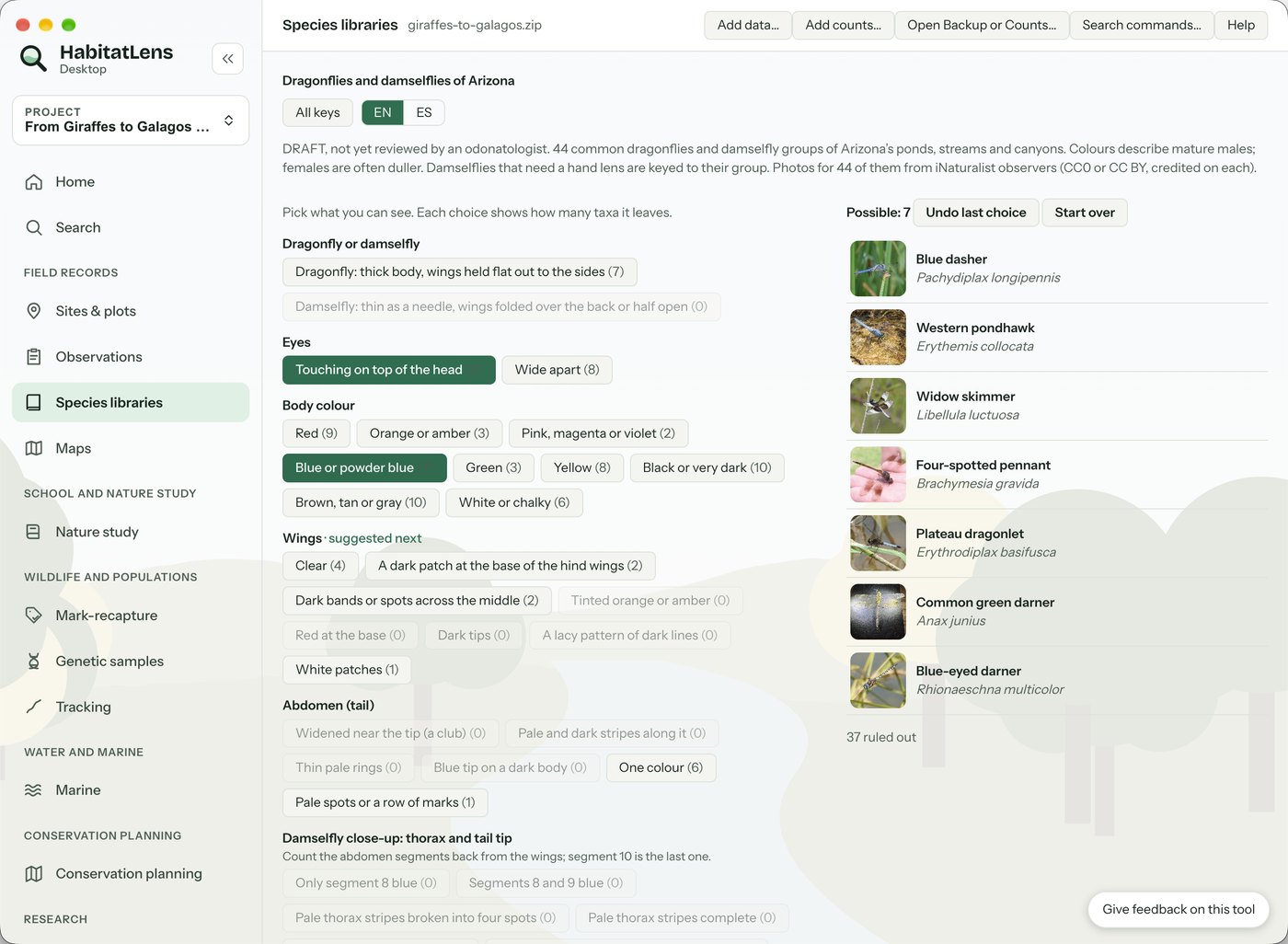
Species photos by iNaturalist observers (CC0 or CC BY); each photographer is credited by name in the app.
Four languages, and guides for every role. The HabitatLens home page is now in English, Spanish, Portuguese and French, and so is the downloads page. Every role has a Quick Start Guide.
FaunaLens learned four new tricks: a sound trigger (frogs, birds, low calls, or any sound), line-crossing counts on the phone, a bait card option, and a stream gauge starting point.
For teachers
The new School teacher role in HabitatLens brings a nature journal (with slides and photo albums), iNaturalist class projects, a school garden you can start from Garden Grow, phenology with Nature's Notebook protocols, and lessons with worksheets. I also added a campus shade map and a way to estimate a tree's crown width from its noon shadow, which is a very good excuse to take a class outside at lunchtime.
Meanwhile Platypus, my planner for teachers, got a new, more true-to-life tagline: "Part planner, part grade book, part inbox. All teacher." It also gained universal search for assignments, events, lessons and notes; a sample year you can explore and clear in one tap; a printable Monday-to-Friday week view; standards coverage for AP topics and NGSS; a printable plan for substitute teachers; and a "What worked" rating to remember which lessons landed. It will even draft a weekly update for students' parents and guardians, too!
For cyclists
Bike Power (version 0.4) got a round of minor ride-day fixes. Moreover, you can now send automatic messages to different groups of people for your commuting rides: one set for going to work, and another set for the trip home. Bike Power may also ask a few questions at the start of a ride to help Training Wheels, our app for maximizing your training potential.
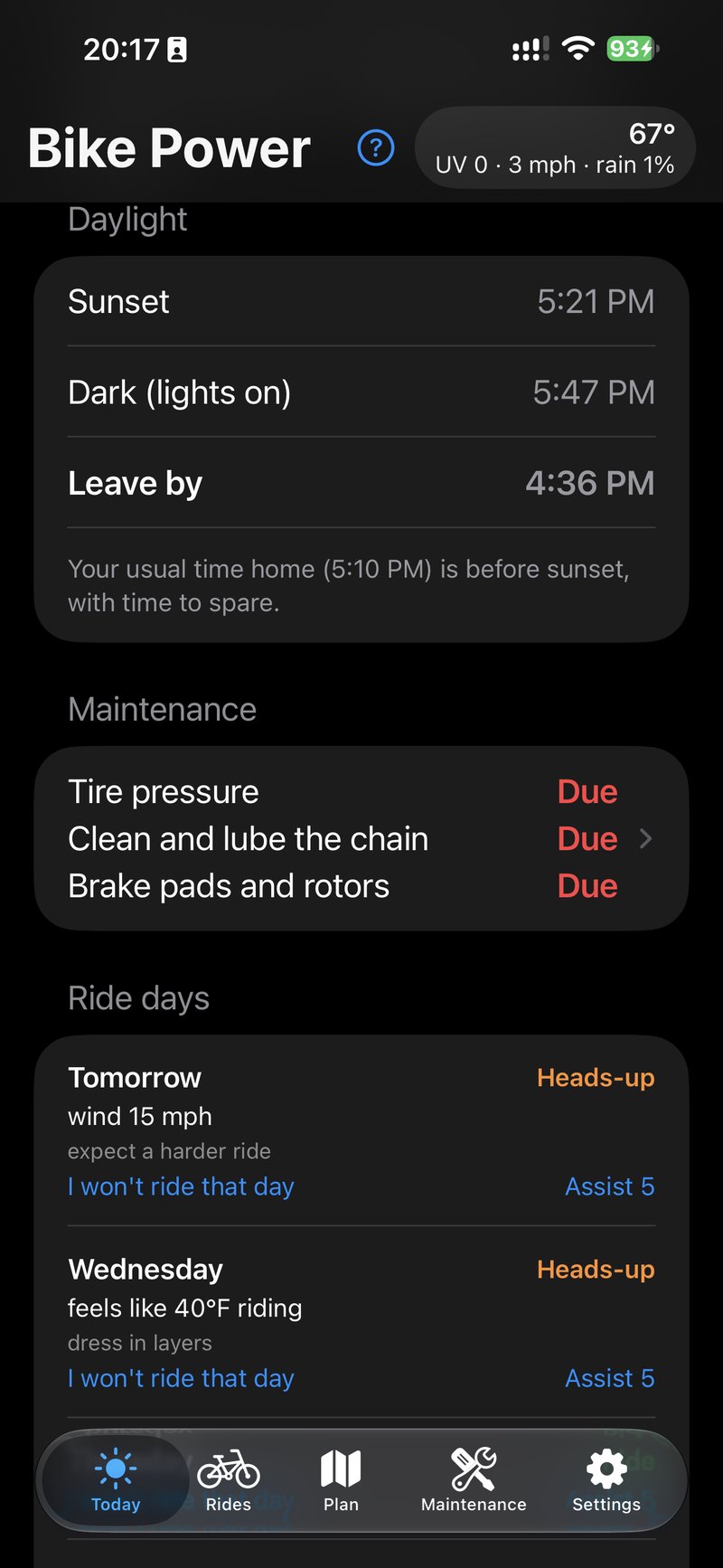
Training Wheels now accounts for the effects of bicycle maintenance, and lets you add your own custom factors for tracking (caffeine, anyone?) on iPhone and Android.
Tools for daily life
- Garden Grow lets you trace gardens and beds right on Apple's satellite photo (iPhone, iPad and Mac), and now allows for curved walls.
- Clepsydra, my desk-time companion, now has large, easy-to-read stories about how time is perceived by different cultures around the world.
Testers and partners
A Tucson conservation group has agreed to test the HabitatLens apps, and our first beta tester, the NGO in Ecuador, is still my reality check for everything above. I am also testing Garden Grow and HabitatLens on my school campus.
If you teach, do fieldwork or lead a community monitoring group, I would love to have you try the apps early. Write to me and I will send a test copy. Reviewers for the Tucson identification keys, and Portuguese and French speakers to check the translations, are especially welcome.
Coming up next
- Many Hands (a fair-chores app for groups) launches December 8.
- Nearby sync in the field. I will test pairing a phone and Desktop with no internet at all.
- More key reviews. The Tucson keys stay drafts until someone who knows these species checks them.
- Bike Power and Strava. A few more real rides before I trust the posting.
- Platypus with real teachers. I want to hear what is missing.
Ten percent of our profits always go to a small-grants fund for community conservation.
Thanks for reading. See you next week.