Week of October 26–November 1, 2026: Phones that check in from the field
· Week of October 26–November 1, 2026
Consider yourself warned: what follows hops from camera traps to coral reefs to the bike lane and back, with no apology. It's one more scoop of the full blend of ideas from an ecologically minded teacher and cyclist who builds tools to make some jobs easier and life more fun. In a word: a hodgepodge. If you'd rather skip the hopscotch and get just the facts, gethabitatlens.app is right there. Everyone else, continue at your own risk.
This week's route: out to the field phones first, then underwater, then into the classroom, onto the bike, and home to the everyday tools.
The HabitatLens suite
Field phones you can reach from home
Last week I promised a way to control FaunaLens from afar. It's here, and SongLens got it too. I've already put FaunaLens through a test: a few minor hiccups turned up, and they're fixed.
- Remote control. Pair a FaunaLens or SongLens phone with HabitatLens Desktop or the HabitatLens phone app, then send it a short list of safe commands: check its status, start or stop, or change a recorder's length and schedule. Every command is logged on the phone.
- Pairing that lasts. Pairings now remain permanent as long as there is activity. The phone shows who controls it, and Desktop's list shows when each phone was last heard from, with a Pair again button right in the row.
- Previews before downloads. Ask a phone for its latest captures and you get small previews first: a little picture of each FaunaLens photo, and a spectrogram picture of each SongLens recording. Over a weak signal, you only download what's worth it.
- Close-range control. FaunaLens can also take commands from a simple web page over Wi-Fi or the trap phone's own hotspot. This is useful for phones deployed where there is no signal; you can control the phone's features without having to move it from its perfect prior placement.
- Alerts. Field phones now check in on their own. Desktop has an Alerts panel for each paired phone, and you can get an e-mail when a phone goes silent or its battery or storage runs low.
- Sentinel mode. FaunaLens learns a site's usual activity during its first 72 hours, then warns you when the site is unusually quiet or busy, or when the phone has been moved. Thumbnails come along so you can see why.
A record of every setup
- Save settings writes a dated, plain-language summary of how a phone is set up. It goes to your paired Desktop or can be shared, so you always know how a recorder or camera trap was configured in the field.
Under the sea: Desktop 0.1.25 to 0.1.27
Three Desktop releases this week, and the Marine module was the big winner.
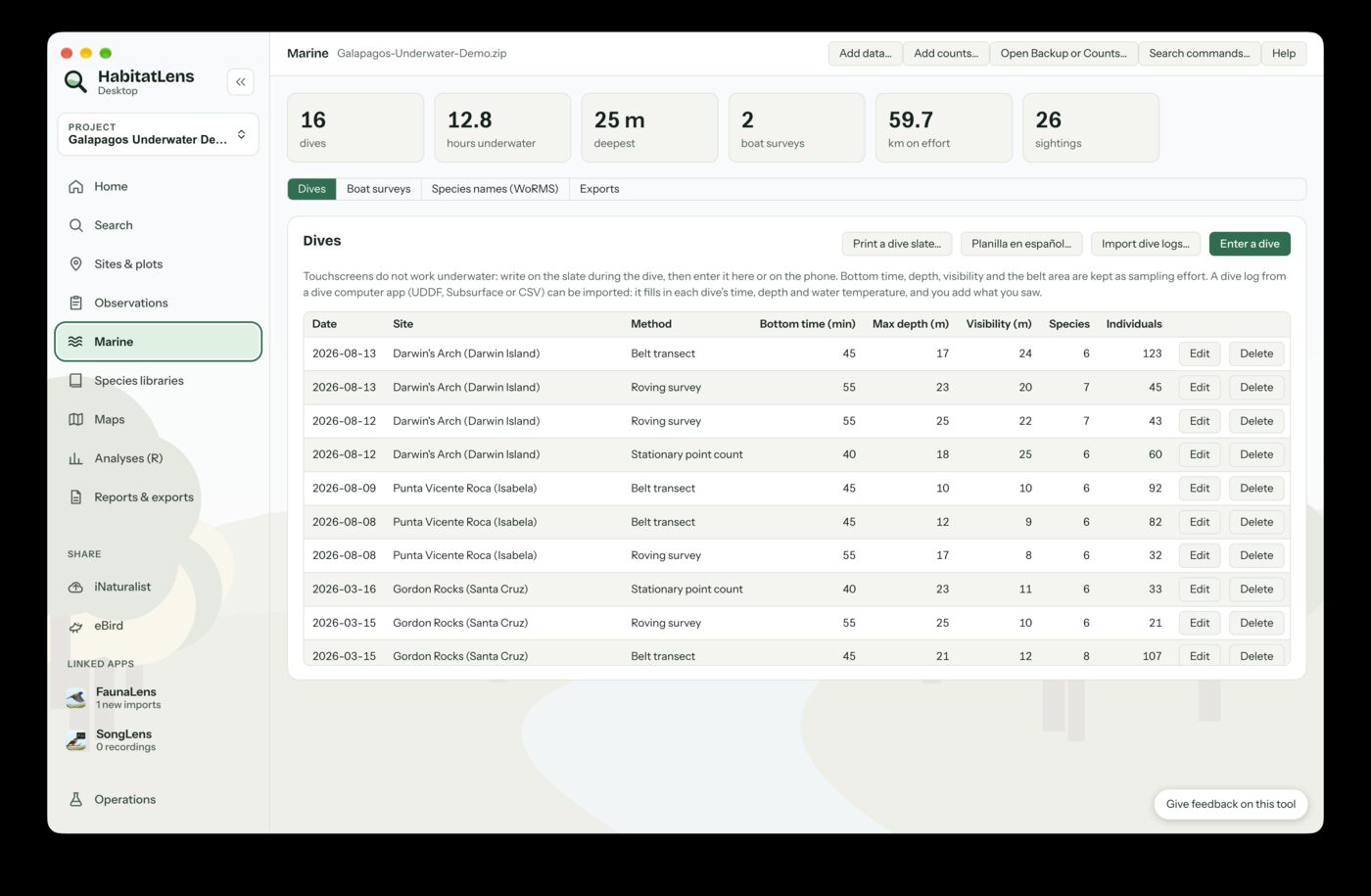
- Dive log import. Bring your dives into Marine from UDDF files, Subsurface or a CSV spreadsheet.
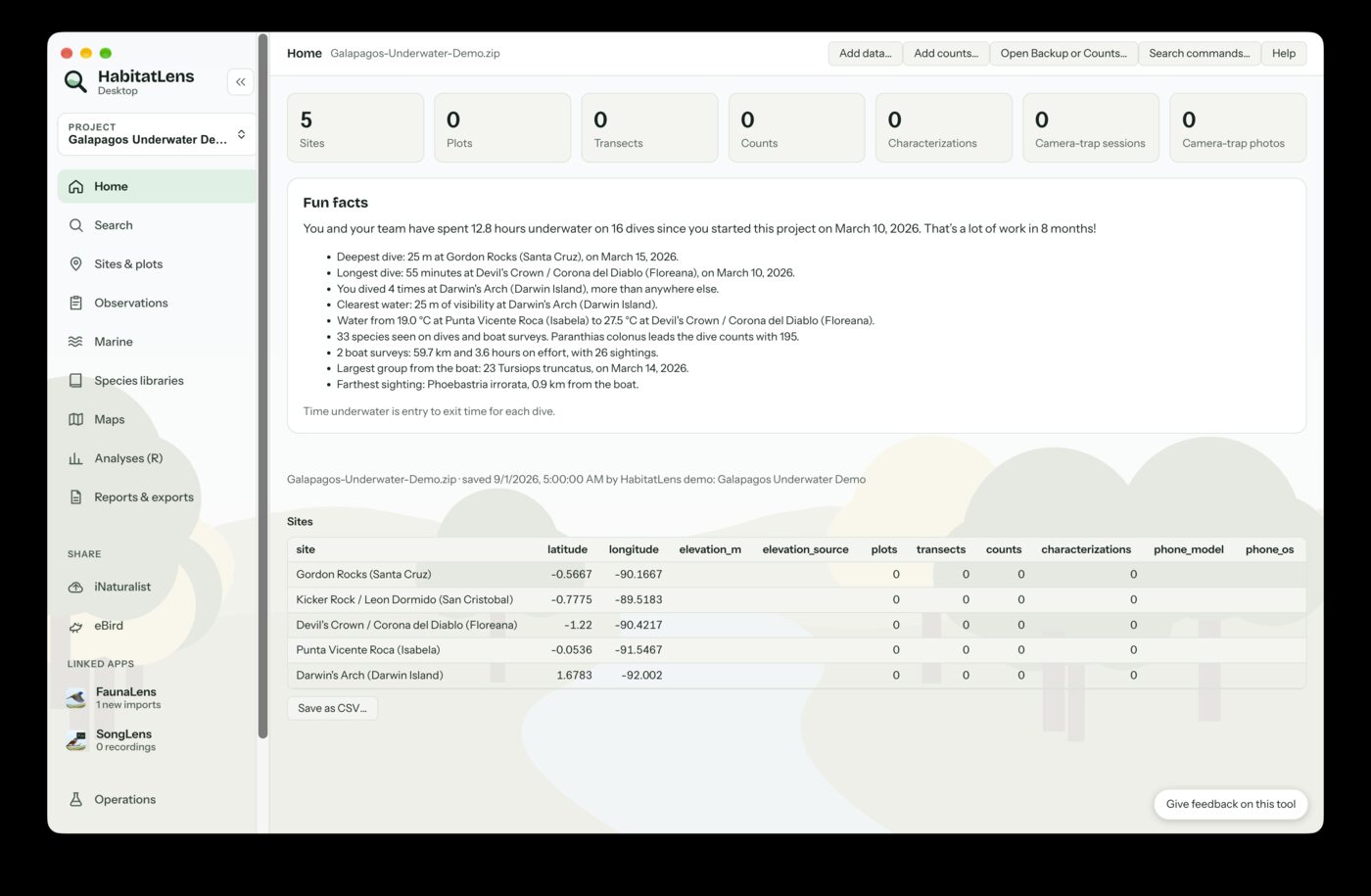
- The Galapagos Underwater Demo. Five sites, 16 dives and two boat surveys, with real Galapagos species and made-up counts. Open it to explore Marine before you have data of your own.
- Marine fun facts now greet you on Desktop's Home screen.
- Water-quality spreadsheets. Desktop can now read the water-quality workbooks our first beta tester, an NGO in Ecuador, already uses (Add data → Spreadsheet), so nobody has to retype a season of samples.
Guides and the website
- The phone app's built-in guide has new pages on field notes, photo points, probe logging and remote control, in English and Spanish.
- Release dates. Each app on the site now shows when it's expected: HabitatLens, Desktop, FaunaLens and SongLens in January 2027, Clear Skies and Tab Diver in April, Platypus in June, and ChargeMinder and Carryall in September 2027.
For teachers
- Teaching mode, everywhere. One switch in HabitatLens now turns on teaching mode across the app. It adds a short explanation under each step, so students learn why they're doing something while they do it. It covers 18 modules, from BioBlitz, ID keys and Behavior to Stream health, Forest, Marine, Camera traps and Restoration.
- A ready-made dataset for class. The Galapagos Underwater Demo is a full marine dataset students can explore, chart and question without anyone getting wet.
- Language changes on the fly. Switch between English and Spanish while the app is running and it follows along, which helps in bilingual classrooms.
For cyclists
Bike Power had its week of commutes, as promised. Several rides came home with written reports, and each turned into a batch of fixes the same day. Here's what changed:
- Long scrollfests have been split into tabs: Today, Rides, Plan, Maintenance and Settings.
- The Apple Watch rides solo. Leave the iPhone at home and the Watch records the ride by itself, then hands it over when the two are back together. The Watch can also be your voice-note microphone.
- Voice notes on the go. Tap the microphone on the ride screen or the Watch and say what you saw. Each note keeps the time, the place, the ride and the words.
- Rides that write home. Bike Power can send short updates to the people who like to know where you are: progress every few minutes, a note when you arrive, and a heads-up when a day is marked "Not riding."
- Maintenance made easy. Log a chain or tire job with one tap, or snap a shop receipt and let Bike Power read it. You review it before it's saved. You can also do your own maintenance with the built-in how-to guide in English and Spanish, with links for more in-depth information.
The verdict: Bike Power worked very well, and it will probably become the only ride app I use.
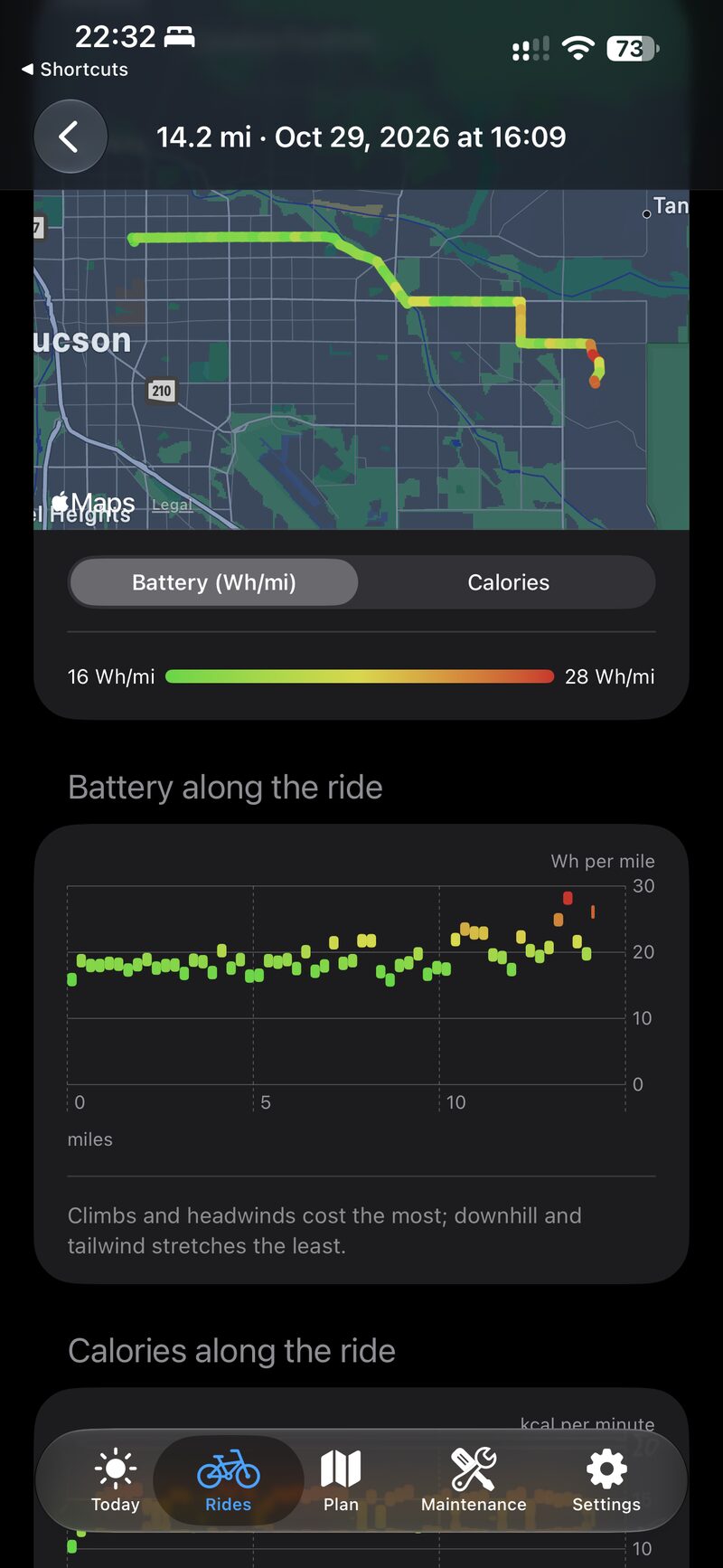
Bike Power for Mac. Send everything from the iPhone to a Mac in one file, then browse your ride history summaries by day, week, month or year, with charts of battery per mile, calories, miles and average speed. Any voice notes you made during a ride can be reviewed here as well.
Testers and partners
Our first beta tester, the Ecuadorean NGO, sent an example of the water-quality spreadsheets they already keep, and theory and reality blend seamlessly. Providing this type of custom service makes these apps fit real work instead of the other way around.
Two more testers join next week: a school teacher and a university researcher. Welcome aboard!
If you teach, do field work or run a community monitoring group, you can try the apps before anyone else. Write to me and I'll send you a test copy.
Coming up next
- Remote control in the wild. Alerts and sentinel mode get their first test on a real trap site, with the solar panel keeping the phone alive.
Ten percent of our profits always go to a small-grants fund for community conservation.
Thanks for reading. See you next week.